 Plannex
PlannexPro for Mac
PlannexPro for macOS
A native Mac app for macOS 14 and later. It works the way the Android and iPhone versions do — the same five zoom levels, the same busy-time heat map and the same look — built for the mouse, the trackpad and the keyboard.

 macOS — coming soon to the Mac App Store
PlannexPro for iPhone and iPad is already on the App Store. The Mac version is in Apple review and will be on the Mac App Store soon.
How it works
Your events come from macOS itself. iCloud, Google, Exchange and CalDAV accounts are connected in System Settings (Internet Accounts); PlannexPro reads and edits them through the system calendar access.
PlannexPro has no server of its own for events: your meetings stay in your calendars and sync as they always did. If you stop using the app, there is nothing to move.
What it does
Five zoom levels
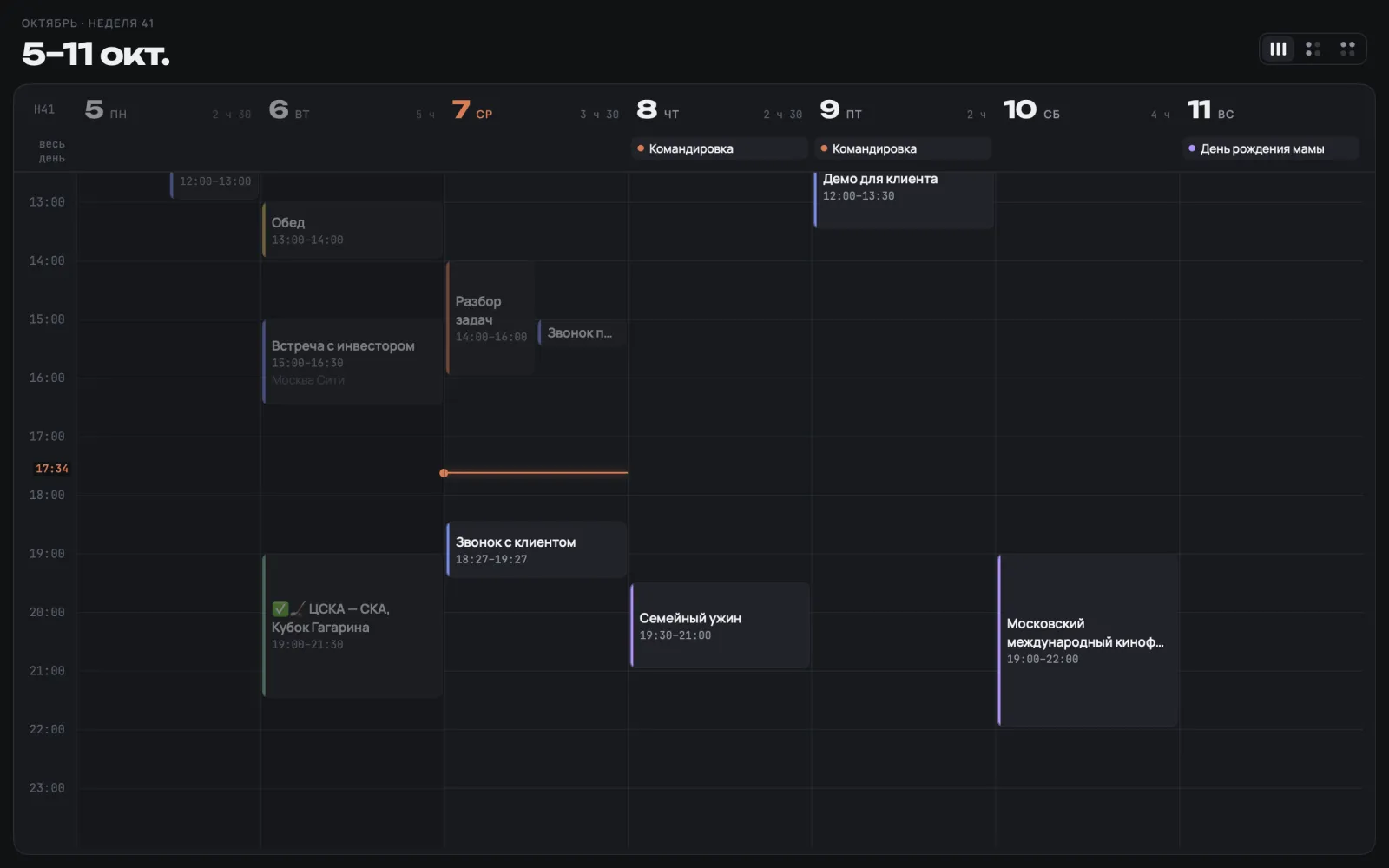
Agenda, day, week, month and year. Switch with the toolbar segments or ⌘1…⌘5; ⌘← and ⌘→ go back and forward, ⌘T jumps to today.
Three week layouts
A timeline and two 4×2 grids — by columns and by rows — with a mini month in the eighth cell. Your choice is remembered.
Day and free time
A timeline with a “now” line, two mini months and a summary of your free time; overlapping meetings share the width.
Month and year heat map
See how busy each day is at a glance. The year shows all twelve months without scrolling, laid out to fit the window.
Trackpad paging
The page follows your fingers on the trackpad, with the next one — and its meetings — already in view.
Event card
Attendees and their replies, recurrence, reminders, the time in another time zone, the place on a map and a Directions button.
Create and edit
⌘N or double-click the timeline. Custom recurrence rules, two reminders, .ics import without duplicates.
Search
By title, place, notes and attendees: upcoming meetings first, past ones below.
Menu bar
Time to your next meeting and the day’s list — without opening the window.
Widgets
Up Next, Events, Agenda and Month, and Calendar for the desktop and Notification Center, in every macOS size.
Three themes
Dark, light and dusk — or follow the system. First day of the week, working hours, hidden calendars.
Two languages
English and Russian, following the system language.
What it looks like
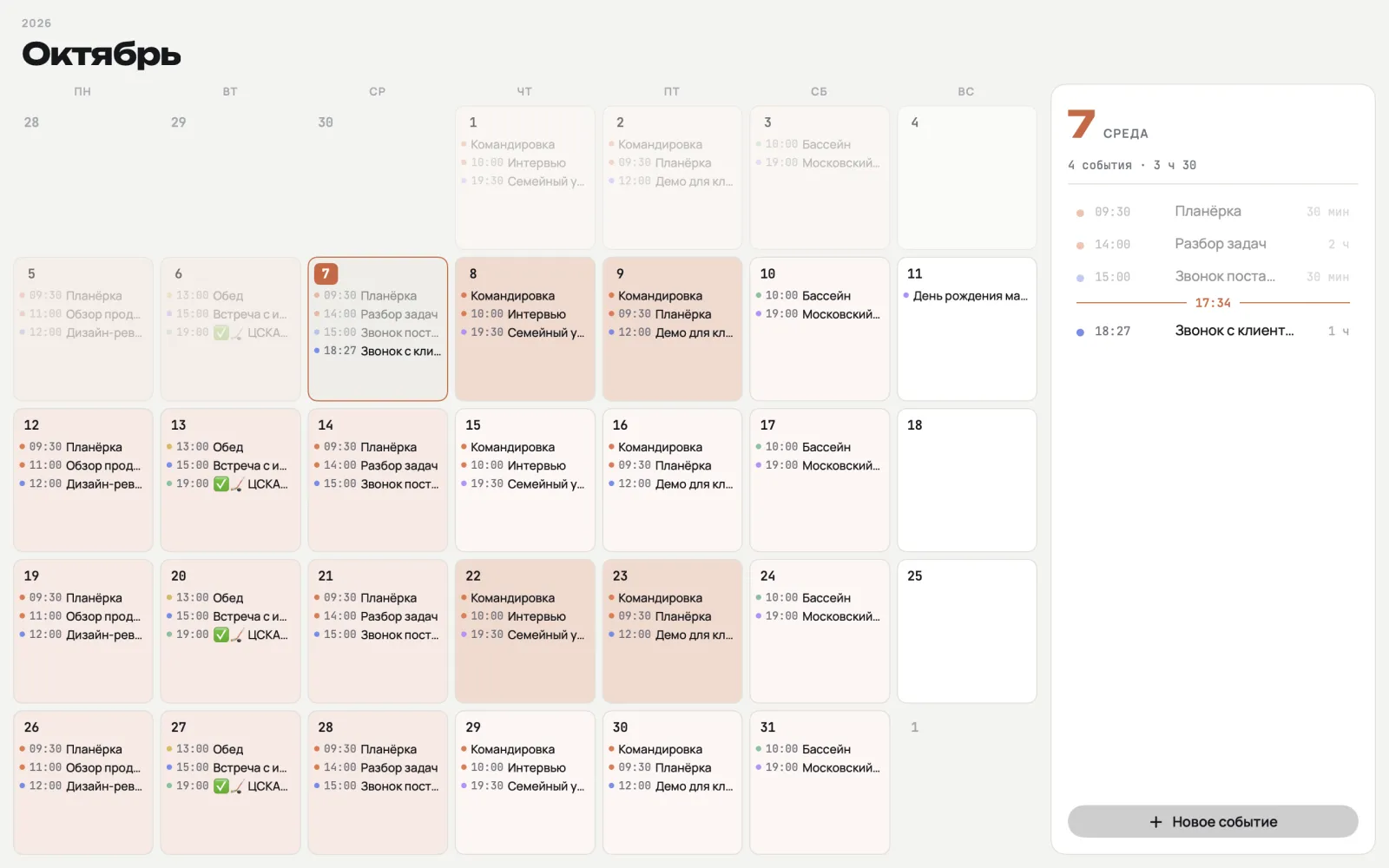
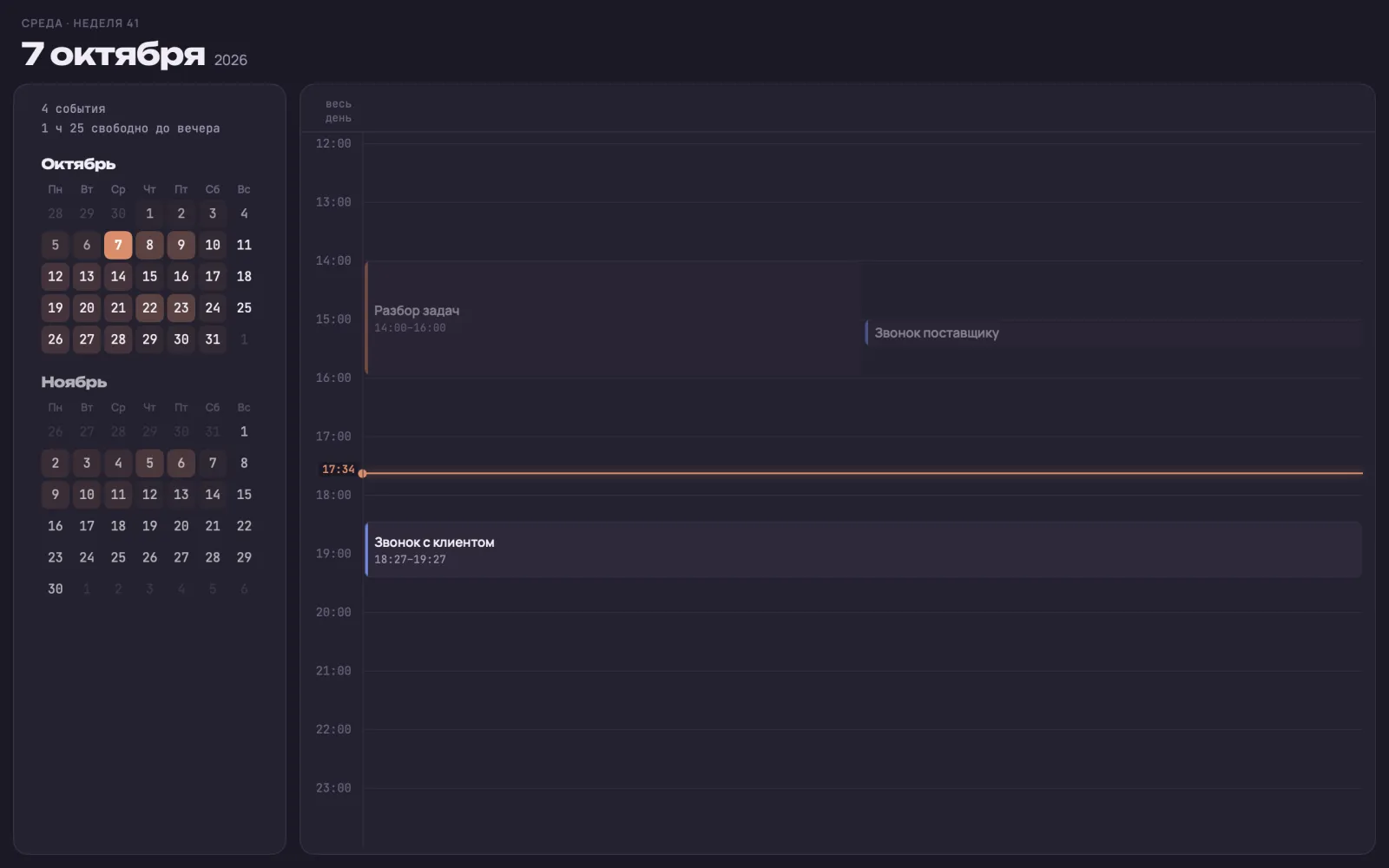
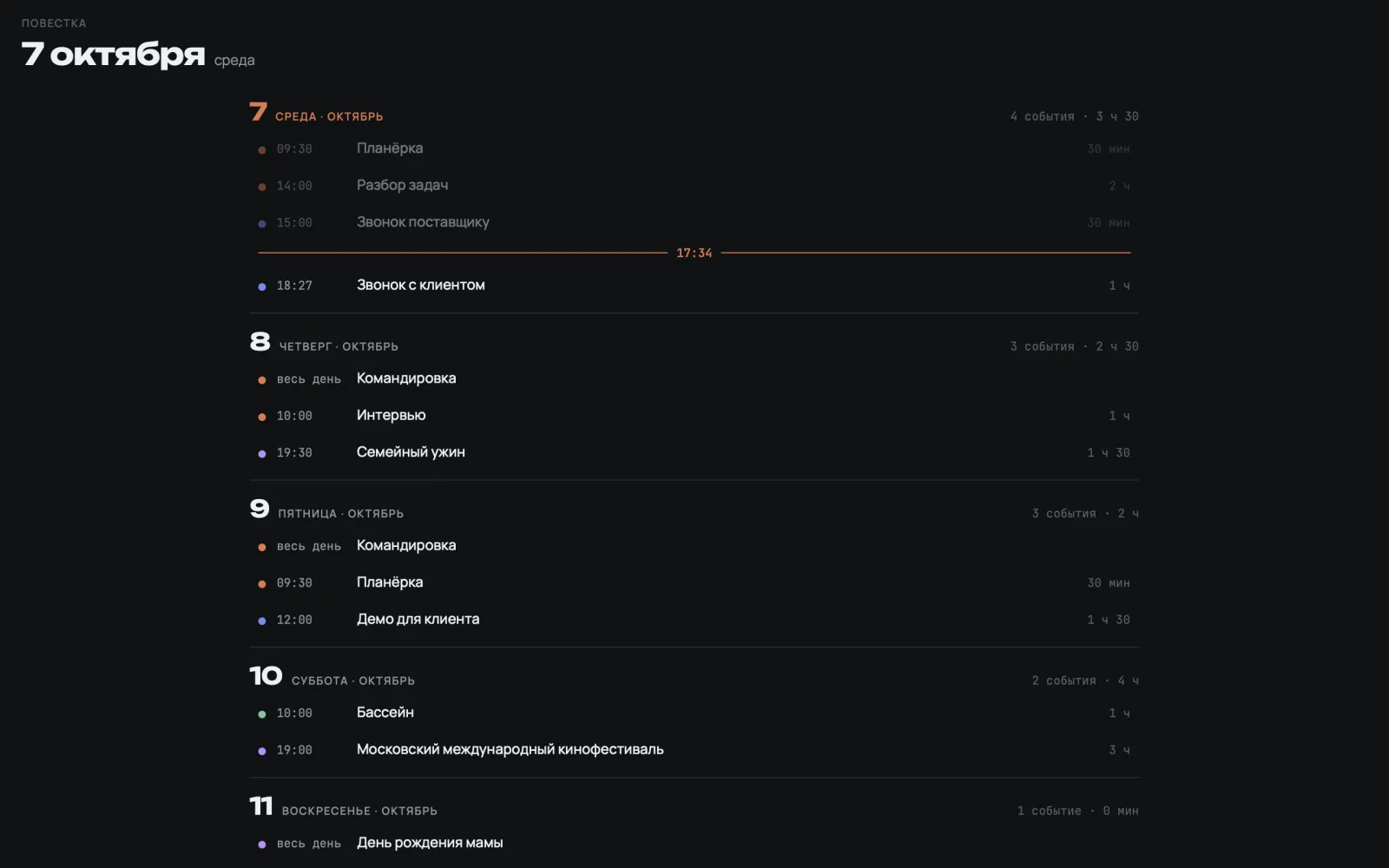
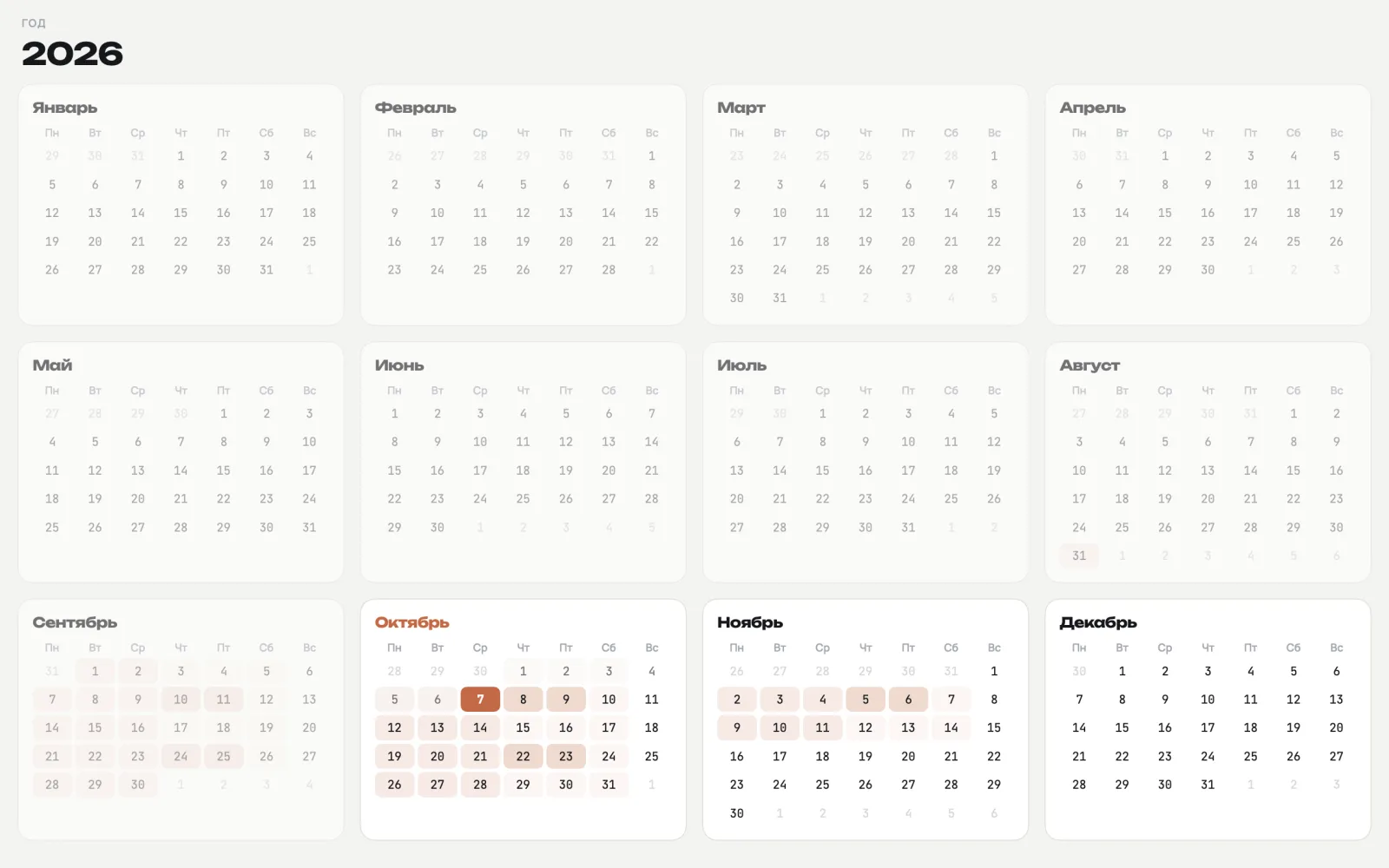
Screenshots were taken in the app’s demo mode with the Russian interface.
Getting started
- Install PlannexPro from the Mac App Store — the link will appear here as soon as it is out.
- Make sure your accounts are connected in System Settings → Internet Accounts.
- Open PlannexPro and allow calendar access — your meetings appear straight away.
Questions
Write to support@plannexpro.app — I answer myself. How data is handled is in the Privacy Policy.